Line Color 3D Puzzle Arcade
Reviews
Description
Game Introduction
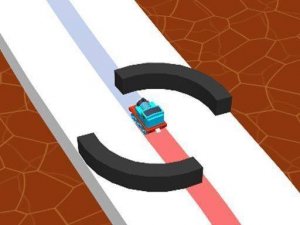
Line Color 3D is an online arcade puzzle game that adds a new dimension to coloring challenges. In this game, you control a moving line that travels through vibrant 3D levels. Your goal is to paint all white areas by guiding the line over them. The game tests your reflexes and focus as you navigate around obstacles that block your path. Designed for both computer and mobile devices, Line Color 3D offers intuitive controls and bright graphics. Each level presents new obstacles and paths, encouraging quick thinking and precise movements. Whether you have a few minutes or more time, this game provides a satisfying and engaging experience. The simple objective and increasing difficulty make it a fun choice for casual players of all ages.
How to Play
To play Line Color 3D, start by tapping or clicking to control the line. The line moves forward automatically. Your task is to guide it over white areas to color them. Use taps or clicks to change the line's direction. Avoid obstacles like barriers and gaps that can stop your progress. The game requires quick reactions and careful planning to complete each level without hitting obstacles. As you advance, levels become more complex with faster speeds and trickier paths. Practice helps you master each stage. The controls are simple to learn, making the game accessible for beginners but still challenging for experienced players.
Game Features
Colorful 3D graphics that create an engaging visual experience. Addictive gameplay that encourages repeated play. Simple controls that are easy to learn. Obstacle challenges that test your reflexes and planning. Cross-platform play, so you can enjoy the game on computer or mobile.
Tips for Success
Focus on the path ahead and anticipate turns to avoid obstacles. Take your time to observe each level's layout before moving. Practice regularly to improve your reaction speed and precision. Stay calm and patient, especially on faster levels. Remember that each attempt helps you learn the level better, so don't get discouraged by mistakes.